Approval
There are two ways to approve requests:
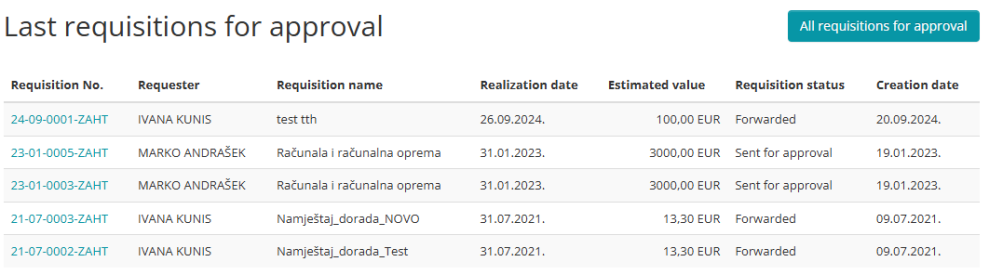
1. Through the Internal client portal - any requests that need to be approved will be opened when you select Approval from the Menu
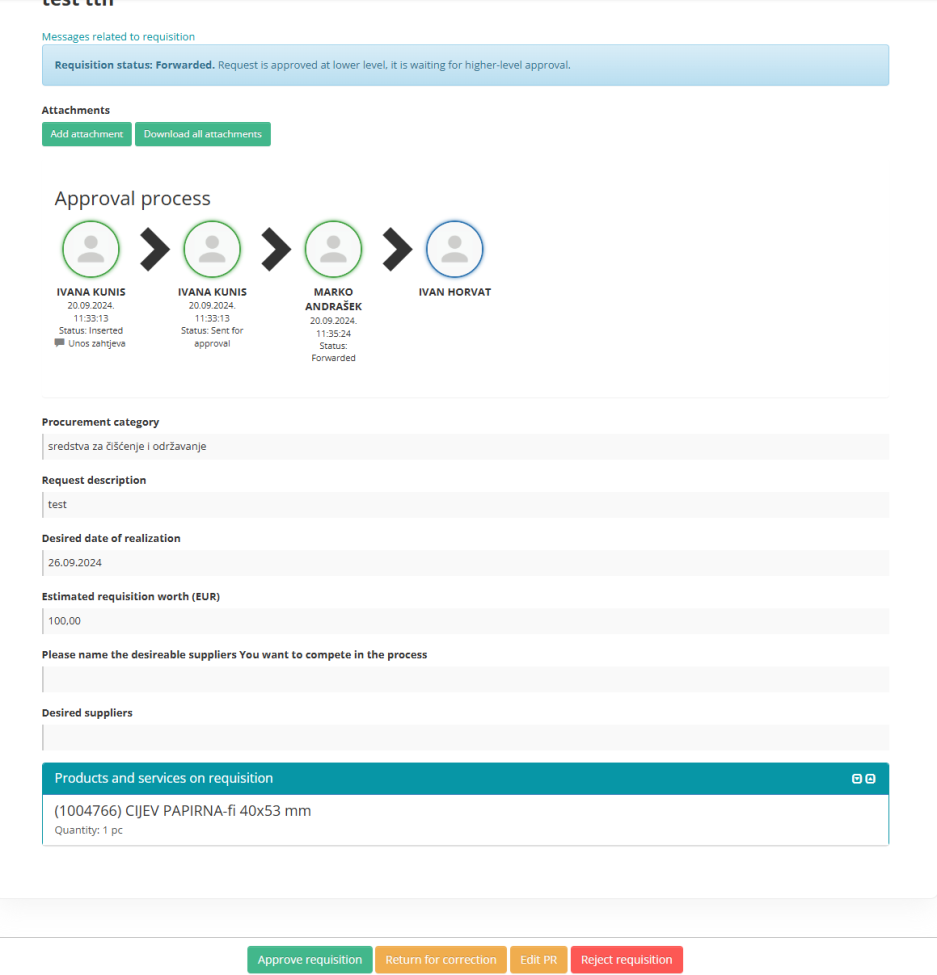
Clicking on the Request opens the request overview with options: Approve requisition, Requisition amending, or Reject requisiton.
2. By email - The approver is informed via email that he is responsible for approving the requisition.
By clicking on the Approve button, the request is approved and sent to the procurement sector.
Clicking on the Other button opens the request on the Portal of Internal Users with the previously mentioned options.